How to Fix Fatal Signal 6 in PojavLauncher (Step-by-Step Guide)
You open PojavLauncher tap Play and the game crashes with ‘Fatal Signal 6’ (SIGABRT). No clear reason. No explanation just back to your home screen its frustrating right?
Your are not alone. Many Minecraft players face this exact problem when trying to run Minecraft Java Edition on Android. The error looks serious, but in most cases it comes from settings conflicts, memory limits, runtime problems or sometimes even on a fresh install.
Don’t worry its not permanent and it usually has simple fixes. With few right steps you can get your game running smoothly again.
In this guide you will learn how to fix Fatal Signal 6 in pojavlauncher step by step.
What Is Fatal Signal 6 (SIGABRT) in PojavLauncher?
Fatal signal 6 happens when Android suddenly stops the app because something went wrong behind the scenes. It means
- SIGABRT = “Signal Abort”
- The Java runtime stopped unexpectedly
- A native library crashed
- Memory allocation failed
On Android devices, this usually happens because of
- Wrong Java Runtime (JRE)
- Too much RAM allocation
- GPU renderer conflict
- Corrupted Minecraft libraries
- Mod or shader overload
Now let’s solve it step by step.
Reinstall the Correct Java Runtime
This solves most of the issues. Different Minecraft versions require different Java versions.
Recommended Runtime
Minecraft 1.12 and below –> JRE 8
Minecraft 1.18+ –> JRE 17
Steps
- Open PojavLauncher
- Go to Settings –> Runtime Manager
- Delete all installed runtimes
- Reinstall the correct version
- Restart the app
If the runtime version does not match your Minecraft version, Android triggers SIGABRT.
Lower RAM Allocation
Many users increase RAM thinking it will improve performance. On Android this often causes crashes. Android has aggressive memory management. When you allocate too much RAM, the system kills the app.
Safe RAM Settings
| 2GB device | 512MB |
| 4GB device | 1024MB |
| 6GB device | 1536MB |
Go to:
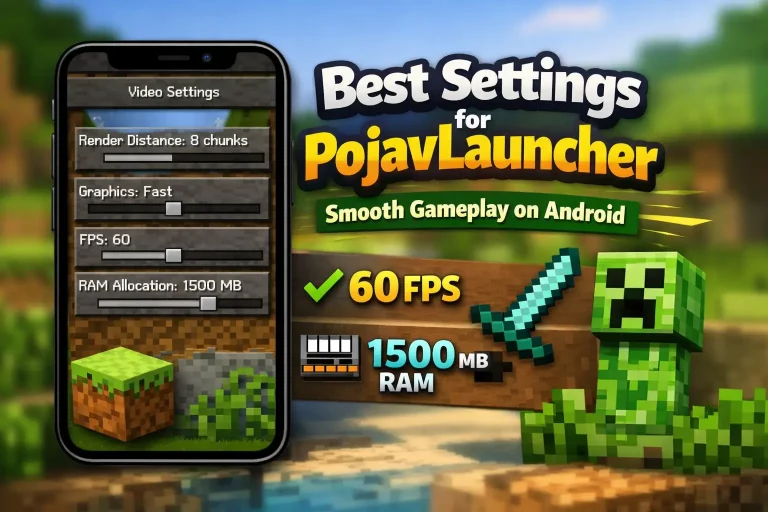
Settings –> Java Tweaks –> Custom RAM. Keep RAM below 50% of total device memory. This fix alone resolves many “PojavLauncher keeps crashing” issues.
Switch the Renderer GPU fix
Graphics drivers differ from device to device. A renderer that works on Snapdragon may fail on MediaTek. Try this
Go to:
Settings –> Renderer
Test these
- OpenGL, most stable
- Zink, balanced performance
- Vulkan, high performance, less stable on low end devices
If the crash happens while loading a world, the renderer is usually the cause.
Remove Mods and Shaders
Heavy mods are a major cause of Fatal Signal 6. Avoid these Common problems.
- Wrong OptiFine version
- Forge and Fabric conflict
- Large shader packs
- Outdated mod loaders
Test by launching vanilla Minecraft first. If it works add mods one by one.
Even powerful phones can crash if shaders overload the GPU.
Clear Corrupted Game Files
Sometimes native libraries .so files become corrupted.
- Open Android App Info
- Tap Storage
- Clear Cache
- If needed Clear Data
Then reinstall the Minecraft version. Downloading updates from the Google Play Store reduces file integrity issues.
Why Fatal Signal 6 Happens Frequently on Android
Unlike PC systems, Android
- Limits background memory
- Uses different GPU drivers
- Restricts native processes
- Has device specific firmware
Because Mojang Studios designed Minecraft Java Edition for desktop environments, running it on Android through PojavLauncher requires precise configuration.
Small mismatches cause system level aborts. Once you adjust runtime, RAM, and renderer correctly, crashes usually stop.
Update Android System Components
If your android system is outdated it can cause the game to crash. You should update
- Android System WebView
- Google Play Services
- Device software updates
Restart your device after updating.
Quick Checklist
If you want the fastest solution
- Reinstall correct Java runtime
- Set RAM to safe limit
- Switch to OpenGL
- Disable all mods
- Restart device
In most cases, this removes Fatal Signal 6 completely.
Conclusion
If you were searching for how to fix Fatal Signal 6 in PojavLauncher, now you know the real cause. This error is not random. It happens because of
- Runtime mismatch
- Memory overload
- Graphics instability
- Corrupted files
Fix the configuration, and the crash disappears. PojavLauncher can run Minecraft Java smoothly on Android but it needs correct setup.
FAQs
What does Fatal Signal 6 mean in PojavLauncher?
It means Android force stopped the app due to a native crash usually caused by runtime or memory conflicts.
Is Fatal Signal 6 caused by low end devices?
Not always. Incorrect settings cause it more often than weak hardware.
Does reinstalling PojavLauncher fix it?
Yes, especially if corrupted libraries or runtime files caused the crash.
Which renderer is safest?
OpenGL is the most stable option for most Android devices.
Can mods cause SIGABRT errors?
Yes. Incompatible Forge, Fabric, OptiFine, or heavy shader packs can trigger Fatal Signal 6.