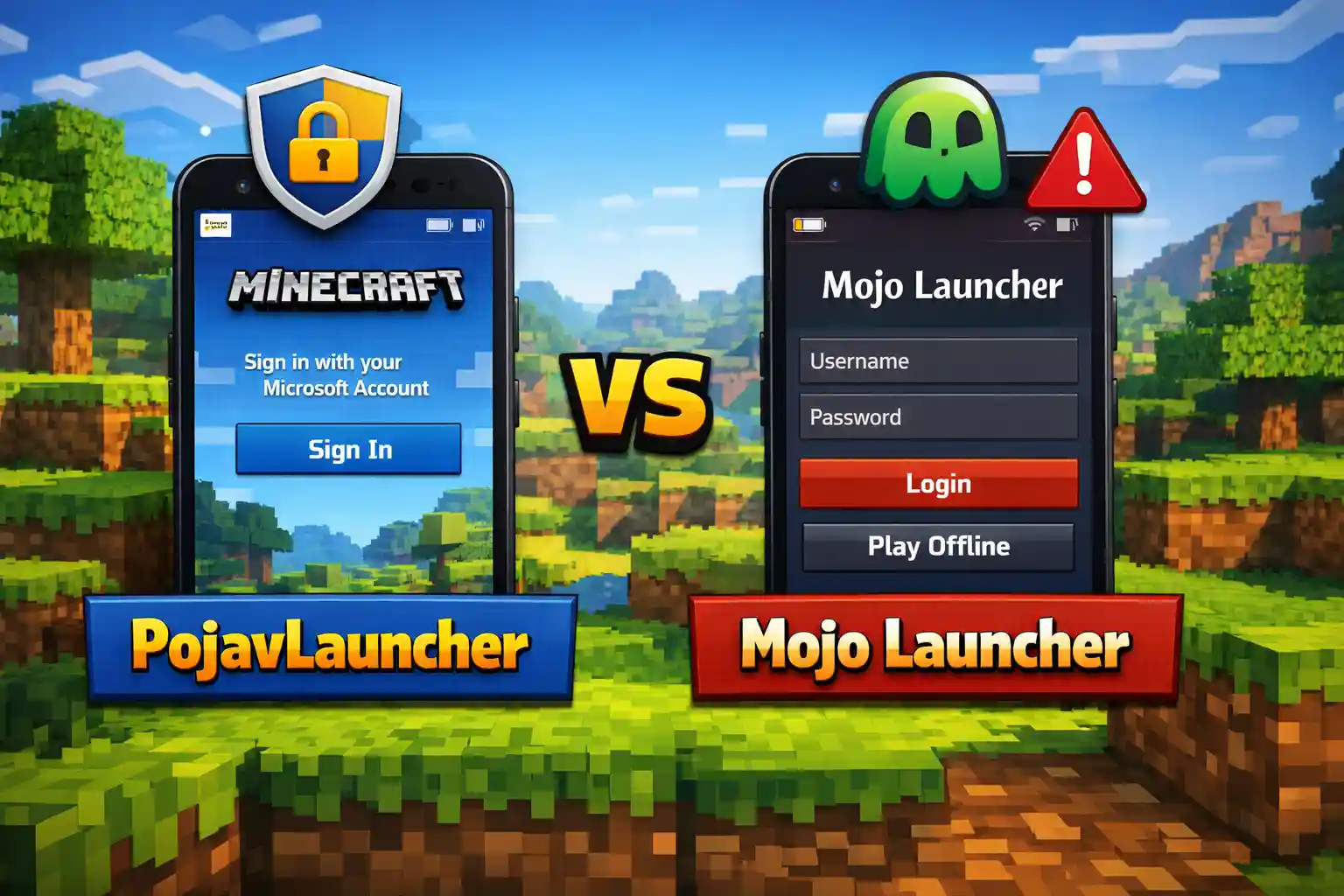
PojavLauncher vs Mojo Launcher
Running Minecraft Java Edition on mobile is not just about launching the game. It’s about account safety, version compatibility, performance tuning, and long term reliability. That’s why many users search for PojavLauncher vs Mojo Launcher, hoping to find a launcher that actually works in real life.
in this article we’ve tried to focus on real user problems, stability, and long term use, so you don’t waste your time switching launchers again and again.
Why This Comparison Matters
If you’re here, it means you want answers to questions like:
- Which launcher crashes less?
- Which one is safe for my Microsoft account?
- Will it still work after Minecraft updates?
- Can I use mods without breaking the game?
Let’s answer your questions honestly
Users searching this topic usually fall into three categories:
- New users: confused by multiple launchers
- Former Mojo users: facing crashes or login issues
- Pojav users: verifying if an alternative is worth switching to
This guide helps you clear the confusion, prevent account risk, and save time.
What Both Launchers Do Well
Both launchers allow you to:
1: Run Minecraft Java Edition on Android
2: Log in with a Microsoft account
3: Launch multiple Minecraft versions
4: Use custom settings for performance
at a basic level neither launcher is fake or useless. The real difference appear when you start using them regularly.
Stability in Real Use
PojavLauncher
- It has been tested on many devices
- It shows clear error messages to help understand issues
- Most problems can be reproduced and fixed
- Large community is always ready to help solve issues quickly
Mojo Launcher
- Works fine the first time you install it
- Some users experience crashes after updates
- There aren’t many public fixes available
- Troubleshooting resources are limited
Both can run Minecraft, but PojavLauncher is more reliable and consistent over time.
Stability Test, Which Launcher Crashes More?
PojavLauncher
- Crashes usually happen due to wrong settings like RAM, renderer or mods
- Error messages clearly show what went wrong so that you can fix it easily
- Updates often fix older issues and make the game run better
Mojo Launcher
- It sometimes crashes without any clear reason
- The game may show a black screen when starting
- It may not work properly with every minecraft update
Result:
PojavLauncher may need some setup, but Mojo Launcher can stop working without any warning.
Account Safety: Which Launcher Keeps Your Minecraft Login Secure
This part is crucial for keeping your account secure.
PojavLauncher
- Uses official Microsoft authentication
- No modified login tricks
- Safer for long term accounts
Mojo Launcher
- Often promotes offline or shortcut logins
- No clear explanation of how logins are handled
- Risk increases after Mojang policy changes
If you care about your Minecraft account, this alone should guide your choice.
Performance
PojavLauncher Performance
PojavLauncher lets you:
- Adjust memory usage
- Choose render backends
- Use performance mods like Sodium or OptiFine
Even mid range phones can run Minecraft smoothly with proper settings.
Mojo Launcher Performance
- Very limited performance controls
- Same device performs worse than on Pojav
- No serious optimization options
PojavLauncher gives you control while, Mojo Launcher does not.
Mod Support Where Mojo Falls Behind
Many users depend on mods just to make Minecraft playable on mobile.
PojavLauncher
- Supports Forge and Fabric
- Works with popular performance mods
- Multiple profiles for different versions
Mojo Launcher
- Mods often fail to load
- New mod loaders unsupported
- No clear mod management system
If mods matter to you, the choice is simple.
Updates and Long term Reliability
Minecraft Java updates frequently. A launcher that doesn’t adapt to these updates will break.
- PojavLauncher updates regularly and adapts quickly
- Mojo Launcher often breaks after updates and stays broken
This is why many users start with Mojo but end up switching to Pojav.
Ease of Use vs Long-Term Use
| Feature | PojavLauncher | Mojo Launcher |
|---|---|---|
| Beginner friendly | Medium | High |
| Stability | High | Low |
| Custom settings | Advanced | Very limited |
| Long term use | Reliable | Risky |
Mojo Launcher feels easy at first, but using it for a longer time can be frustrating.
Final Verdict
Choose PojavLauncher if you:
1. Want stable gameplay
2. Use mods
3. Care about account safety
4. Don’t want to switch launchers again
Mojo Launcher might work temporarily, but it’s not built for long term use.
Conclusion
The PojavLauncher vs Mojo Launcher debate ends when real usage is considered.
PojavLauncher works because it:
1. Follows official systems
2. Updates with Minecraft
3. Gives users control instead of shortcuts
Mojo Launcher promises ease but delivers inconsistency.
If you want Minecraft Java on mobile without constant frustration, PojavLauncher is the smarter choice.
“Curious about how Pojavlauncher compares with Zalith launcher? check out full comparison here.”
FAQs
Is PojavLauncher safe to use?
Yes, if you use a legitimate Minecraft account.
Why does Mojo Launcher stop working after updates?
Because it lacks regular maintenance.
Can PojavLauncher run the latest Minecraft versions?
Yes, with proper configuration.
Which launcher is better for mods?
PojavLauncher, without question.
Is Mojo Launcher recommended for long-term play?
No, due to stability and safety concerns.